
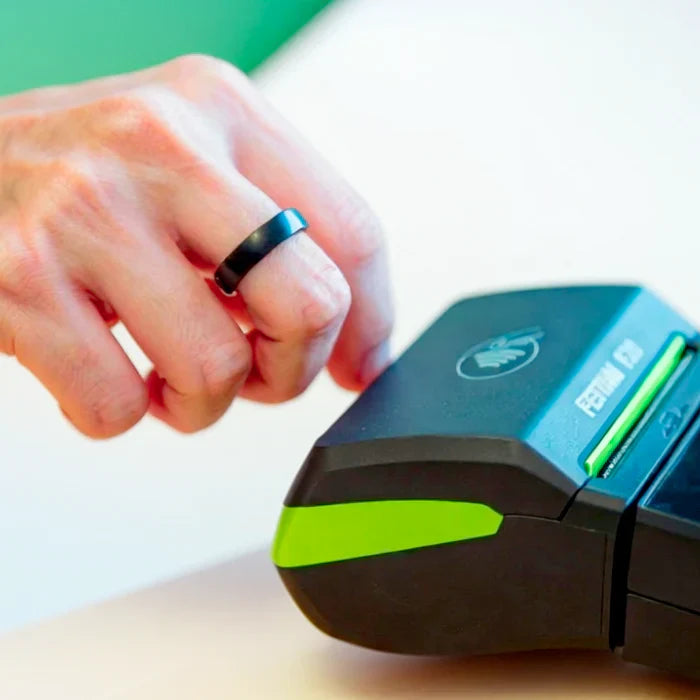
Yes — Zempler Bank customers can attach a RingPay wearable directly to their Zempler Mastercard using the RingPay app, turning your ring into a simple “tap to pay” way to spend on the same card you already use.
What “linking” means (without the jargon)
With payment rings and other wearables, you’re not connecting to banking details — you’re connecting the wearable to a payment card.
That means:
- your RingPay wearable becomes another way to use your Zempler Mastercard
- you can tap your ring anywhere contactless payments are accepted
- your purchases are processed through the same card payment rails as a normal card tap
RingPay describes this approach as linking the wearable to your preferred payment method through its app (or via a partner bank) and then paying contactless in the usual way.
How Zempler and RingPay fits together
This isn’t just a generic wearable integration. RingPay is a Money Carer service, and it sits within a long-standing partnership between Money Carer and Zempler Bank that’s focused on practical financial inclusion.
In Money Carer’s partnership write-up, Zempler is described as providing the banking rails behind Money Carer’s services for 12 plus years, and Money Carer is presented as one of Zempler Bank’s largest and longest-standing customers/partners.
That scale and longevity help explain why RingPay wearables can be supported in a more direct, “built-for-purpose” way for Zempler cardholders.
The “direct to card” part: what’s new and why it matters
Money Carer explains that Zempler Bank is set to provide direct wearable connectivity via a partnership with Fidesmo Pay, aiming to remove friction and make wearables easier to adopt at scale.
In practical terms, this supports the customer-friendly experience people want:
- connect RingPay to your Zempler Mastercard in the RingPay app
- tap your ring to pay in shops like you would with your card
How to link your RingPay wearable to your Zempler card (typical flow)
- Choose your ring to pay with from the RingPay store.
- Install and open the RingPay app.
- Choose the option to add/connect a wearable.
- Select your Zempler Mastercard as the card to connect.
- Once set up, you can tap your ring on contactless terminals to pay.
Behind the scenes, wearable payments commonly use tokenisation (a secure representation of your card rather than storing card details in a simple, copyable way), which is part of what platforms like Fidesmo Pay are designed to enable.
Why this matters for Money Carer clients and inclusion
Wearables can be more than a convenience: they can reduce friction at the checkout, lower dependency on phones, and make everyday spending feel simpler — which aligns with Money Carer’s focus on practical support and inclusion via the Money Carer–Zempler partnership overview.
Részesedés:
Tap-to-pay, minus the extra steps: RingPay now links straight to digital Granit Bank cards in Hungary
Rings to Pay With